-
Shop
- Adidas
- Advanced Technologies
- Bathroom
- Best-Sellers
- Car Accessories
- Dating & Social Skills
- Digital Resources
- AI & Technology
- AI Skills
- Beauty
- Budgeting & Saving
- Car Buying & Ownership
- Cozy Feast Collection
- Electronics & Technology
- Emotional Intelligence
- Entrepreneurship & Business Growth
- Financial Education
- Financial Independence
- Financial Mindset & Psychology
- Goal Setting
- Home Styling & Organization
- Kitchen & Recipes
- Leadership
- Mindfulness
- Mindset
- Motivation
- Online Business
- Parenting & Child Development
- Personal Style & Fashion
- Pet Lifestyle & Wellness
- Positive Thinking
- Productivity
- Self Confidence
- Sleep Improvement
- Smart Life with AI
- Stress Management & Relaxation
- Travel Planning
- Wellness
- Yoga & Fitness
- Yoga & Mind-Body Practices
- Easter Products
- Education & Learning
- Family & Parenting
- Fashion
- Alexander McQueen
- Bags
- Bags & Wallets
- Balenciaga
- Belts
- Blazers
- Bottega Veneta
- Brunello Cucinelli
- Burberry
- Chanel
- Chloé
- Dior
- Dolce & Gabbana
- Dresses
- Etro
- Fendi
- Gucci
- Hats & Hair Accessories
- Jewelry
- Jil Sander
- Keychains
- Kiton
- Luggage
- Miu Miu
- Off-White
- Outerwear
- Prada
- Rick Owens
- Saint Laurent
- Shoes
- Socks & Tights
- The Row
- Tom Ford
- Valentino
- Valentino Garavani
- Versace
- Vivienne Westwood
- Watches
- Furniture
- Gadgets
- Health & Beauty
- Health & Wellness
- Home & Garden
- Home Electronics
- Kids & Babies
- Kitchen
- Lighting
- Patio, Lawn & Garden
- Personal Growth
- Pet Care
- Pet Supplies
- Pets
- Smart Home Living Guides
- Sport & Outdoors
- Stress Relief & Relaxation
- TikTok Growth & Monetization Mastery
- Travel
- Wealth
- Wealth Building
- Popular
- Best deals
Smart Home Hubs: How They Work + Best Features
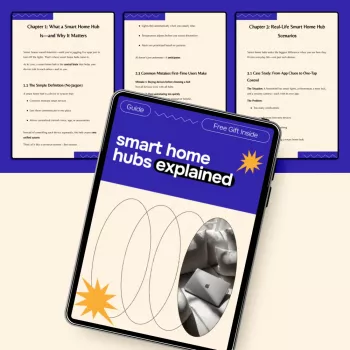
Smart Home Hubs Explained: A Complete Guide to Understanding How They Work
A smart home hub is the “traffic controller” for connected devices—helping lights, locks, sensors, speakers, and thermostats communicate reliably and automate actions together. Instead of juggling multiple apps and hoping everything stays in sync, a hub coordinates devices (often across different wireless standards) and runs routines that make the whole system feel fast and dependable. Below is a clear breakdown of what hubs do, how the major standards differ, what features matter most, and a practical setup path that keeps things responsive even when Wi‑Fi gets crowded.
What a Smart Home Hub Does (and What It Doesn’t)
A hub’s job is to unify control. Many households end up with a mix of device types—like Zigbee motion sensors, a Wi‑Fi doorbell, and smart plugs that use another protocol. A hub can bring those devices under one control layer so automations can span brands and standards.
- Connects multiple standards: A good hub can coordinate Zigbee sensors with Wi‑Fi cameras (and more), so you aren’t stuck in one device “family.”
- Centralizes automation: Schedules, routines, and conditional rules run in one place instead of being scattered across separate brand apps.
- Improves reliability: When a hub supports local control, many actions can run without waiting on a cloud server.
- Doesn’t guarantee compatibility: Devices still need shared standards or supported integrations.
- Doesn’t replace your router: You still need stable Wi‑Fi and internet, even if many routines run locally.
Hub vs. Speaker vs. App: Understanding the Control Options
Smart homes are often controlled through a mix of voice, mobile apps, and automations. The difference is how unified (or fragmented) that experience becomes over time.
- Smart speakers/displays: Great for voice control and quick commands, but they may support fewer device types unless they include hub radios or deep integrations.
- Phone apps: Direct and familiar, but brand-by-brand apps often lead to multiple accounts, inconsistent naming, and duplicated routines.
- Dedicated hub: The “unifier” that ties voice control, app control, and automation rules into a single system—especially helpful in mixed-brand homes.
- Hybrid platforms: Some devices combine roles (like a speaker with hub capabilities built in), but automation depth and protocol support can vary widely.
Common Standards: Wi‑Fi, Zigbee, Z-Wave, Thread, and Matter
Choosing a hub gets easier once the wireless standards make sense. Think of these standards as different “languages” your devices speak. A hub (or a platform with hub features) helps translate and coordinate them.
- Wi‑Fi: Connects directly to your router. Ideal for cameras and anything high-bandwidth, but large device counts can bog down busy networks.
- Zigbee: Low-power mesh networking for sensors, bulbs, and switches. Devices can relay signals, improving coverage as the network grows.
- Z-Wave: Another low-power mesh popular for locks, sensors, and switches, often praised for range and solid home coverage.
- Thread: A newer low-power mesh that’s IP-based. It often pairs with Matter, helping multi-brand setups feel more seamless.
- Matter: An interoperability standard designed to make devices work across ecosystems more easily. Matter can run over Wi‑Fi or Thread depending on the device.
Quick comparison of popular smart home standards
| Standard | Best for | Strengths | Trade-offs |
|---|---|---|---|
| Wi‑Fi | Cameras, speakers, appliances | High bandwidth, widely supported | Can strain router; often cloud-dependent |
| Zigbee | Sensors, bulbs, switches | Efficient mesh, many device options | Requires hub/coordinator; compatibility varies by brand implementation |
| Z-Wave | Locks, sensors, switches | Strong mesh, good range in many homes | Requires hub; smaller device ecosystem than Zigbee in some regions |
| Thread | Sensors, lights, locks (newer devices) | IP-based mesh, low power | Needs a Thread border router; device selection still growing |
| Matter | Cross-platform control (over Wi‑Fi/Thread) | Simplifies pairing across ecosystems | Feature parity depends on device type and platform support |
For deeper standard definitions, see the Connectivity Standards Alliance pages for Matter and Zigbee, plus the Z-Wave Alliance overview.
Local Control vs. Cloud Control: Why It Matters
One of the biggest “feel” differences between a frustrating smart home and a smooth one is where actions run.
- Local control: Automations can keep working during internet outages and often respond faster (like a motion sensor turning on a hallway light with minimal delay).
- Cloud control: Enables remote access and some advanced features, but can introduce latency and dependence on vendor servers.
- Best practice: Use local execution for core routines (lighting, safety, presence) while keeping cloud features for remote access and optional integrations.
- What to look for: Clear documentation showing which devices and rules run locally vs. in the cloud.
Key Features to Compare When Choosing a Hub
Not every hub is built for the same kind of home. A small apartment with a handful of Wi‑Fi devices needs something different than a multi-story home with sensors in every room.
Practical Setup Blueprint for a Smooth Start
Common Problems and Simple Fixes
Recommended Guides (In Stock)
- Smart Home Hubs Explained: Your Complete Guide to Understanding Smart Home Hubs
- How Essential Oils Can Ease Stress and Anxiety | Relaxation eBook Guide for Natural Stress Relief, Aromatherapy, and Anxiety Support
FAQ
Do smart home hubs work without internet?
Many hubs can run local automations without internet, so core routines like motion-triggered lighting may still work. However, remote access, voice assistants, and certain cloud-based integrations may require an active connection, depending on the hub and devices.
Is Matter replacing Zigbee and Z-Wave?
Matter is an interoperability layer, not a direct replacement for every existing protocol. Many households will use Matter alongside Zigbee, Z-Wave, Thread, and Wi‑Fi for years, especially as legacy devices remain in service.
What’s the easiest way to avoid smart home device compatibility issues?
Pick a primary hub or ecosystem first, then verify device standards (Zigbee, Z-Wave, Thread, Matter) before purchasing. Checking official compatibility lists and integration notes upfront is the most reliable way to prevent mismatches.
Recommended for you


Bistro Sets: When They’re Worth the Investment
Aug 11, 2026
Why Toddlers Fight Sleep: Triggers and Calm Bedtimes
Aug 12, 2026













Leave a comment