-
Shop
- Adidas
- Advanced Technologies
- Bathroom
- Best-Sellers
- Car Accessories
- Dating & Social Skills
- Digital Resources
- AI & Technology
- AI Skills
- Beauty
- Budgeting & Saving
- Car Buying & Ownership
- Cozy Feast Collection
- Electronics & Technology
- Emotional Intelligence
- Entrepreneurship & Business Growth
- Financial Education
- Financial Independence
- Financial Mindset & Psychology
- Goal Setting
- Home Styling & Organization
- Kitchen & Recipes
- Leadership
- Mindfulness
- Mindset
- Motivation
- Online Business
- Parenting & Child Development
- Personal Style & Fashion
- Pet Lifestyle & Wellness
- Positive Thinking
- Productivity
- Self Confidence
- Sleep Improvement
- Smart Life with AI
- Stress Management & Relaxation
- Travel Planning
- Wellness
- Yoga & Fitness
- Yoga & Mind-Body Practices
- Easter Products
- Education & Learning
- Family & Parenting
- Fashion
- Alexander McQueen
- Bags
- Bags & Wallets
- Balenciaga
- Belts
- Blazers
- Bottega Veneta
- Brunello Cucinelli
- Burberry
- Chanel
- Chloé
- Dior
- Dolce & Gabbana
- Dresses
- Etro
- Fendi
- Gucci
- Hats & Hair Accessories
- Jewelry
- Jil Sander
- Keychains
- Kiton
- Luggage
- Miu Miu
- Off-White
- Outerwear
- Prada
- Rick Owens
- Saint Laurent
- Shoes
- Socks & Tights
- The Row
- Tom Ford
- Valentino
- Valentino Garavani
- Versace
- Vivienne Westwood
- Watches
- Furniture
- Gadgets
- Health & Beauty
- Health & Wellness
- Home & Garden
- Home Electronics
- Kids & Babies
- Kitchen
- Lighting
- Patio, Lawn & Garden
- Personal Growth
- Pet Care
- Pet Supplies
- Pets
- Smart Home Living Guides
- Sport & Outdoors
- Stress Relief & Relaxation
- TikTok Growth & Monetization Mastery
- Travel
- Wealth
- Wealth Building
- Popular
- Best deals
Waterproof 17-Inch Laptop Backpack for Work & Travel
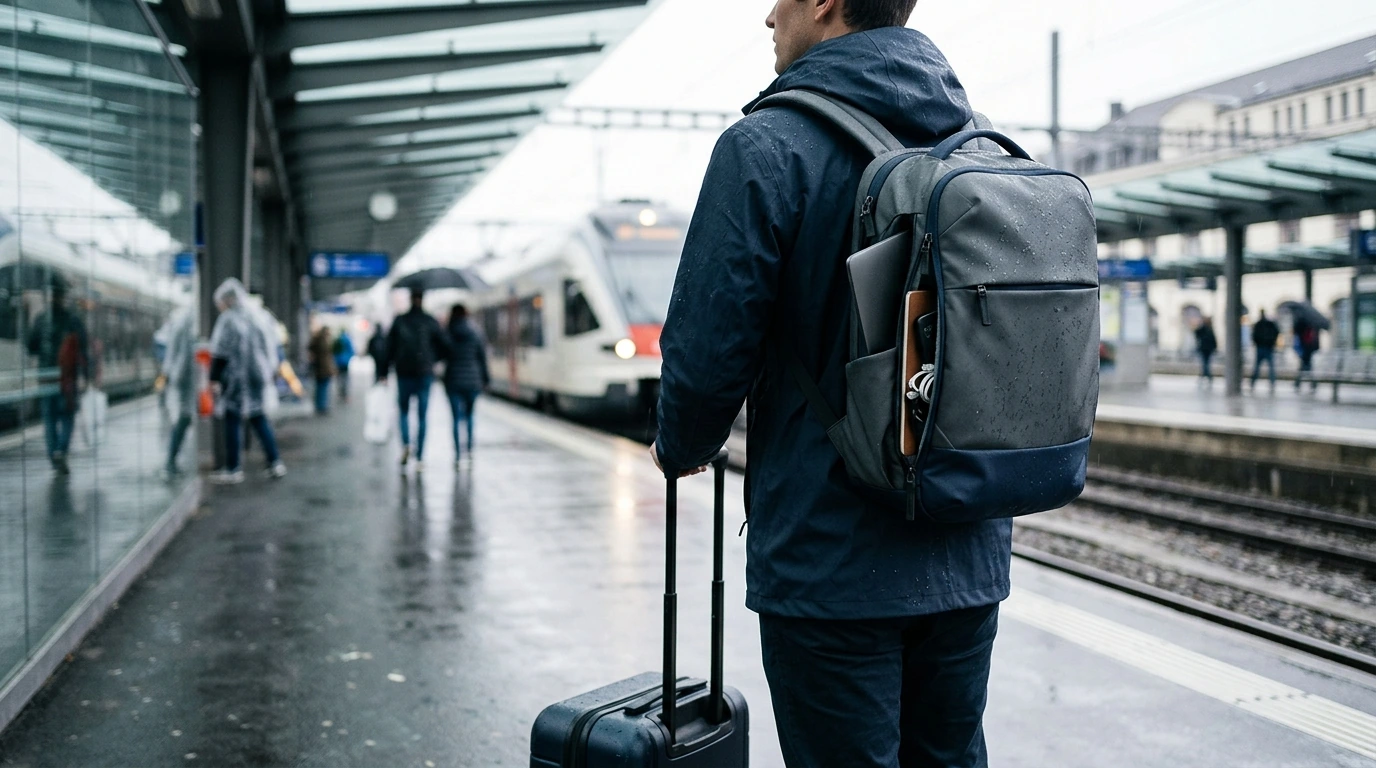
Waterproof 17″ Travel & Business Laptop Backpack with Multi-Pocket Design: Built for Commutes, Airports, and Workdays
A reliable work-and-travel backpack needs to balance laptop protection, weather resistance, and fast organization without feeling bulky. The most practical designs make it easy to separate tech from paperwork, keep small essentials reachable in seconds, and carry comfortably from parking lot to platform to gate. Below is a clear breakdown of what to look for in a waterproof business travel backpack, how multi-pocket layouts improve daily carry, and how a 17-inch laptop compartment fits into real commutes and flights.
What This Backpack Is Designed to Handle
A business-ready travel backpack earns its keep when it performs across different “real life” settings—not just a short walk to the office. The right build helps you stay organized, protects expensive electronics, and reduces the friction of constant transitions.
- Daily commuting with electronics, documents, and chargers kept separated
- Business travel with quick-access pockets for boarding passes, IDs, and small essentials
- Weather changes where a water-resistant exterior reduces stress around laptops and paperwork
- Long carry days where balanced weight distribution matters as much as capacity
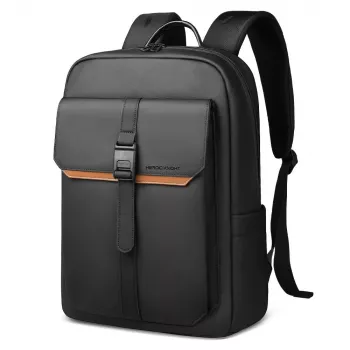
If you want a single bag built around those needs, start with the Waterproof 17″ Travel & Business Laptop Backpack with Multi-Pocket Design, designed for structured storage and day-to-day durability.
Size, Capacity, and the 17-inch Laptop Fit
A 17-inch laptop compartment should hold a larger device securely without forcing the corners or putting constant tension on the zipper path. The biggest mistake is shopping by screen size alone: a “17-inch” label doesn’t reflect thickness, hinge design, or chassis dimensions.
- A 17-inch laptop compartment should allow a snug fit without forcing corners or stressing zippers
- Measure the laptop (width/height/thickness), not just the screen size, before choosing a backpack
- Leave room for a protective sleeve if extra drop protection is needed
- Consider how a larger laptop affects remaining space for a change of clothes, notebooks, and tech accessories
Fit Check Before Buying
| What to check | Why it matters | Quick tip |
|---|---|---|
| Laptop dimensions (W × H × D) | Screen size alone can be misleading | Compare with the backpack’s listed laptop compartment size if available |
| Laptop sleeve thickness | Extra padding can make a tight fit uncomfortable | Test with the sleeve you actually use |
| Main compartment depth | Bulkier laptops reduce space for travel items | Pack a day’s essentials on a table to gauge volume |
Waterproof vs. Water-Resistant: What to Expect in Real Weather
“Waterproof” can mean different things depending on how the fabric is coated, how seams are stitched, and how zippers are protected. Even when the shell material is highly water-repellent, the most vulnerable points are still seams, zipper teeth, and pocket openings.
- “Waterproof” can refer to fabric and construction, but zippers, seams, and pocket openings still affect protection
- Light rain and splashes are typically manageable; prolonged downpours may require a rain cover for full protection
- Water resistance is improved by coated fabrics, covered zippers, and tight stitching around seams
- For electronics, use layered protection: padded compartment + sleeve + smart packing away from openings
For flights and long travel days, it also helps to know the rules around power banks and spare batteries. Keep lithium batteries in carry-on and follow official guidance from the FAA Pack Safe page and the TSA guidance on electronic devices.
Multi-Pocket Organization That Actually Saves Time
Multi-pocket designs are only useful when they support a repeatable routine. The goal is to give each category a consistent home: tech in one zone, admin items in another, and “grab-and-go” items in a dedicated quick-access spot. That structure is what prevents the classic airport line scramble.
- A multi-pocket layout reduces “bag digging” by giving each item category a consistent home
- Separate zones help prevent damage (keys away from screens, liquids away from electronics)
- Quick-access pockets support travel flow: security line, gate, rideshare, meetings
- A structured internal layout helps keep the backpack slim even when fully loaded
Pocket & Use Guide
| Pocket/area | Best for | Packing note |
|---|---|---|
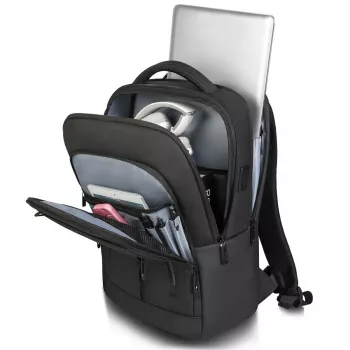
| Laptop compartment | 17-inch laptop, tablet, documents | Keep flat items against the back panel for stability |
| Main compartment | Headphones, sweater, toiletries pouch | Pack heavier items centered to reduce shoulder strain |
| Front organizer pockets | Pens, cables, power bank, business cards | Use small pouches to prevent tangling |
| Quick-access pocket | Phone, passport/ID, boarding pass | Avoid overfilling to keep access fast |
| Side pockets | Water bottle, compact umbrella | Keep liquids external whenever possible |
Laptop Protection and Shock Management
Comfort for All-Day Carry
Travel Readiness for Airports, Trains, and Meetings
For longer trips, pairing a streamlined work bag with a small personal routine can make travel feel less hectic. Some travelers also like a compact digital reference such as How Essential Oils Can Ease Stress and Anxiety | Relaxation eBook Guide for downtime between connections.
Care Tips to Keep Waterproofing and Zippers Performing
FAQ
Will a 17-inch laptop backpack fit under an airplane seat?
It depends on the backpack’s overall dimensions and how fully it’s packed, since airlines set personal-item size limits. Packing flatter and keeping the main compartment from bulging increases the chance of under-seat fit, but some 17-inch setups may be better in the overhead bin.
Is a waterproof backpack enough to protect a laptop in heavy rain?
Not always, because seams and zippers are common entry points for water during sustained downpours. For better protection, use a laptop sleeve, keep electronics away from pocket openings, and consider adding a rain cover when the weather is severe.
How should electronics and liquids be packed in a multi-pocket backpack?
Keep liquids in external or side pockets whenever possible and use sealed pouches to reduce spill risk. Store electronics in padded compartments, and separate hard accessories (chargers, adapters, keys) from screens to prevent scratches and pressure damage.












Leave a comment