-
Shop
- Adidas
- Advanced Technologies
- Bathroom
- Best-Sellers
- Car Accessories
- Dating & Social Skills
- Digital Resources
- AI & Technology
- AI Skills
- Beauty
- Budgeting & Saving
- Car Buying & Ownership
- Cozy Feast Collection
- Electronics & Technology
- Emotional Intelligence
- Entrepreneurship & Business Growth
- Financial Education
- Financial Independence
- Financial Mindset & Psychology
- Goal Setting
- Home Styling & Organization
- Kitchen & Recipes
- Leadership
- Mindfulness
- Mindset
- Motivation
- Online Business
- Parenting & Child Development
- Personal Style & Fashion
- Pet Lifestyle & Wellness
- Positive Thinking
- Productivity
- Self Confidence
- Sleep Improvement
- Smart Life with AI
- Stress Management & Relaxation
- Travel Planning
- Wellness
- Yoga & Fitness
- Yoga & Mind-Body Practices
- Easter Products
- Education & Learning
- Family & Parenting
- Fashion
- Alexander McQueen
- Bags
- Bags & Wallets
- Balenciaga
- Belts
- Blazers
- Bottega Veneta
- Brunello Cucinelli
- Burberry
- Chanel
- Chloé
- Dior
- Dolce & Gabbana
- Dresses
- Etro
- Fendi
- Gucci
- Hats & Hair Accessories
- Jewelry
- Jil Sander
- Keychains
- Kiton
- Luggage
- Miu Miu
- Off-White
- Outerwear
- Prada
- Rick Owens
- Saint Laurent
- Shoes
- Socks & Tights
- The Row
- Tom Ford
- Valentino
- Valentino Garavani
- Versace
- Vivienne Westwood
- Watches
- Furniture
- Gadgets
- Health & Beauty
- Health & Wellness
- Home & Garden
- Home Electronics
- Kids & Babies
- Kitchen
- Lighting
- Patio, Lawn & Garden
- Personal Growth
- Pet Care
- Pet Supplies
- Pets
- Smart Home Living Guides
- Sport & Outdoors
- Stress Relief & Relaxation
- TikTok Growth & Monetization Mastery
- Travel
- Wealth
- Wealth Building
- Popular
- Best deals
TV Furniture Layouts That Feel Comfortable Every Day
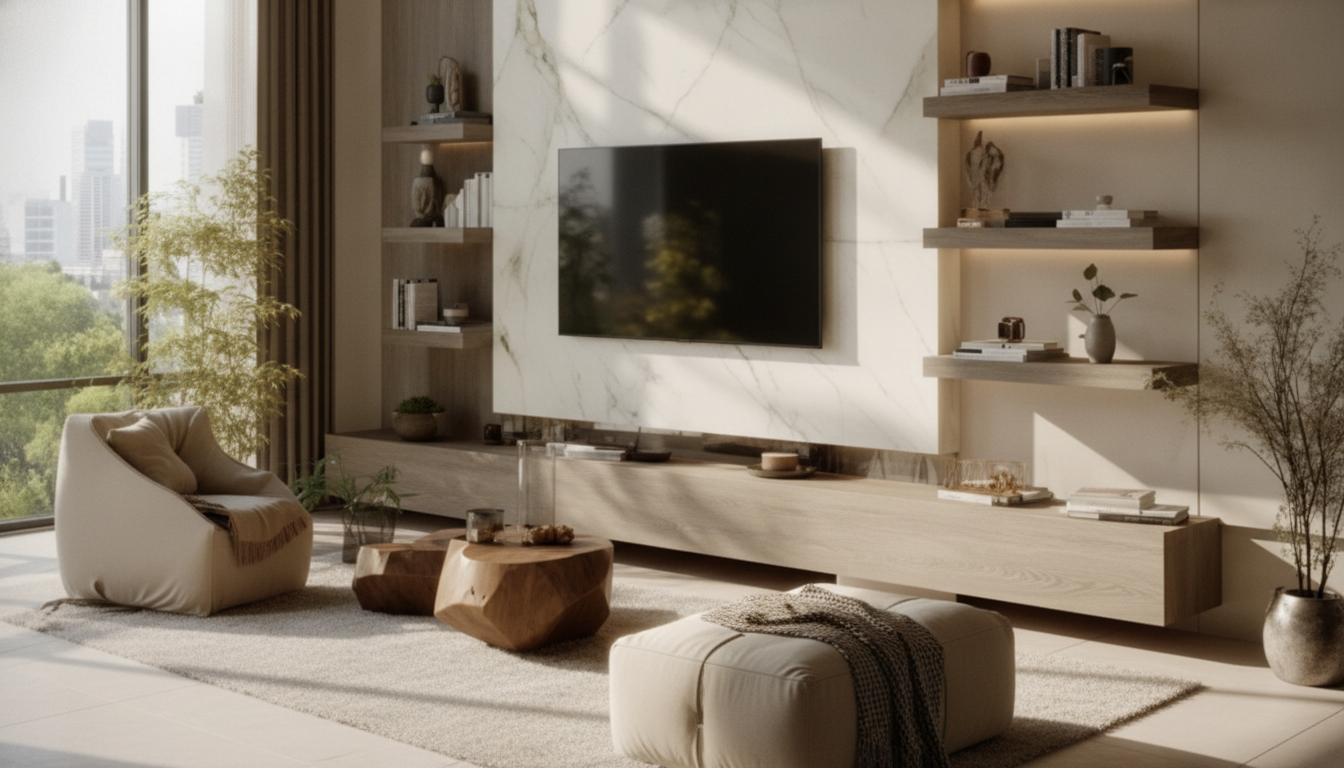
TV-Centric Furniture Layouts That Feel Comfortable, Look Polished, and Work Every Day
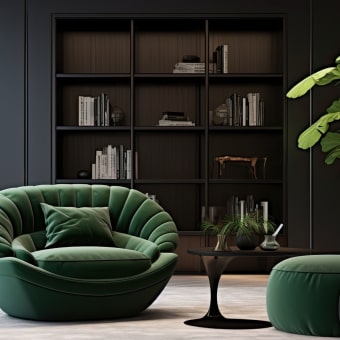
A TV can anchor a room without turning it into a mini theater. The sweet spot is a layout that supports relaxed viewing, easy conversation, and clean walking paths—while keeping the focal wall balanced, whether the screen is the star or quietly integrated. Use the steps below to lock in the practical measurements first, then refine seating, lighting, and storage so the room feels finished on ordinary weekdays, not just when company comes over.
Start With the Room’s Non-Negotiables
Before moving a single chair, map what can’t move. This prevents the most common layout mistake: arranging for the TV first and discovering later that doors, vents, or window glare have the final word.
- Mark fixed elements: windows, doors (including swing direction), fireplaces, radiators/vents, and built-ins.
- Identify primary uses: daily TV time, entertaining, gaming, reading, kids’ play, or multi-purpose lounging.
- Choose the true focal point: TV-only, fireplace + TV, or flexible focal points that shift by activity.
- Set circulation routes first: establish the natural path from entry to seating, to adjacent rooms, and to outdoor doors so furniture never blocks movement.
Comfort Rules: Screen Height, Distance, and Sightlines
Comfort is mostly geometry. When the screen height and seating angles are right, the room instantly feels “easy,” even with simple furniture.
- Keep your neck neutral: the center of the screen should land roughly near seated eye level in most living rooms; slightly higher can work if everyone lounges deep or uses recliners.
- Control glare early: avoid putting the TV directly opposite bright windows when possible. If the best wall is still reflective, plan shades or angle the screen.
- Check every good seat: confirm that side chairs and sectional corners can see without twisting.
- Mock it up first: use painter’s tape to outline the TV size and a console footprint, then test your seated sightline before drilling or buying.
Quick viewing comfort checks
| Element | Practical target | What to do if it’s off |
|---|---|---|
| Eye/neck comfort | Center of screen near seated eye level | Lower the mount, raise seating slightly with a firmer cushion, or tilt mount with caution |
| Viewing distance | Comfortable distance based on screen size and resolution | Move sofa, choose a larger/smaller screen, or shift layout to a longer wall |
| Glare control | Minimal reflections during daytime viewing | Add curtains/shades, angle the TV, or swap walls |
| Group sightlines | Everyone can see without twisting | Add a swivel chair, widen seating arc, or relocate secondary seating |
For deeper guidance on viewing angles and distance, cross-check recommendations from THX, screen-size calculators like RTINGS, and broadcast-oriented standards from SMPTE.
Pick a Layout Pattern That Matches the Room Shape
Instead of forcing every living room into a “sofa faces TV, done” plan, choose a pattern that fits the footprint and traffic flow.
- Small rooms: float a compact sofa facing the TV and use slim side tables to keep the footprint light.
- Open concept spaces: define the TV zone with a rug and a sofa-back console so the area reads as intentional without walls.
- Long, narrow rooms: place the TV on a short wall when possible; if not, use a sectional or sofa + chair grouping to create a “room within a room.”
- Corner TV setups: treat the corner as a deliberate focal point—angle seating toward it and maintain a consistent walkway around the perimeter.
- Fireplace + TV: decide priority. Either center the TV and balance with built-ins, or separate zones so the fireplace supports conversation while the TV supports viewing.
Arrange Seating for Both Viewing and Conversation
The most livable TV rooms don’t feel like rows in a cinema. They feel like a conversation area that happens to have excellent sightlines.
- Build a seating arc: a gentle curve facing the screen helps everyone see while still feeling connected.
- Use “primary + secondary” seating: anchor with the main sofa, then add one or two flexible pieces like swivel chairs, a pouf, or an accent chair.
- Keep reach zones realistic: place tables close enough for drinks without forcing anyone to lean far forward.
- Fix the too-far coffee table issue: size the table to the seating depth and leave comfortable leg clearance so the center feels usable, not decorative only.
- Consider sound balance: if audio feels lopsided, shift seating toward the room’s centerline instead of pushing furniture against the walls.
Storage, Styling, and Cable Calm Without Visual Clutter
A polished TV wall usually comes down to proportion and concealment: a grounded console, hidden cables, and styling that doesn’t compete with the screen.
Lighting and Acoustics That Make the Room Feel Finished
Fast Troubleshooting for Common TV-Room Problems
A Step-by-Step Room Reset Checklist
Helpful Resources From Our Store
- Mastering the Art of TV-Centric Furniture Layouts (eBook)
- How Essential Oils Can Ease Stress and Anxiety (eBook Guide)
FAQ
Where should the sofa go in a TV room?
Place the sofa where it creates the cleanest sightline to the screen while preserving natural walking paths. Avoid pushing it to the wall by default; in many rooms, floating the sofa slightly improves both comfort and circulation.
How high should a TV be mounted for comfortable viewing?
A comfortable setup keeps the center of the screen near seated eye level so your neck stays neutral. If your seating is very reclined, a slightly higher position can work—confirm with a tape mockup before drilling.
How can a TV share a wall with a fireplace without looking awkward?
Decide the primary focal point first. Either center the TV and balance it with built-ins/visual symmetry, or separate the media zone from the conversation zone so each focal point feels intentional rather than competing.
Recommended for you



Eco-Friendly Dog Toy Checklist: Non-Toxic & Durable
Jun 28, 2026









Leave a comment