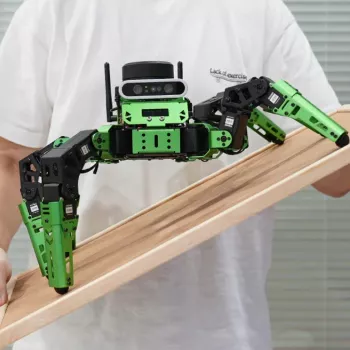
Six legs give a robot a different way to move—and give you a different set of questions to explore. The JetHexa ROS Hexapod Robot Kit combines a legged platform with Jetson Nano computing and an introduction to mapping and navigation concepts. For robotics learners and developers, it offers a hands-on way to connect software ideas with physical movement.
Our JetHexa ROS Hexapod Robot Kit is designed for exploring ROS, simultaneous localization and mapping (SLAM), and navigation. Whether you are learning how robot software communicates or planning a more involved project, it gives you a practical platform for investigating how those pieces work together.
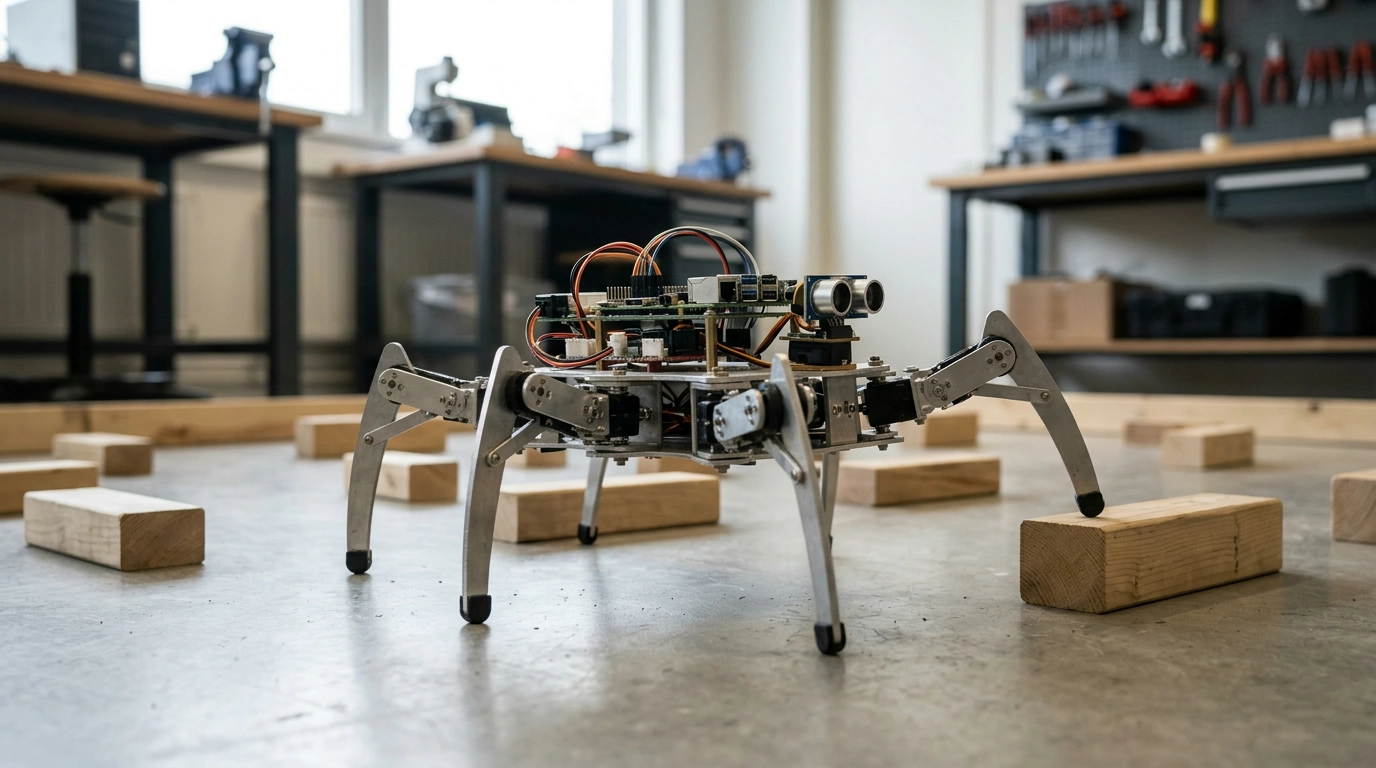
A hexapod uses six legs rather than wheels to move. That makes it an interesting starting point if you want to study legged locomotion: you can observe how a sequence of leg movements contributes to the robot’s overall motion and consider how movement commands relate to changes in position.
ROS, or Robot Operating System, is a framework for developing robot software. It helps connect components that perform different jobs, such as processing information, issuing commands, and coordinating movement. You can learn more about its concepts and tools in the ROS documentation.
JetHexa is described as Jetson Nano powered. Jetson Nano is the computing platform named for the kit, providing a place to run the software involved in your robotics work. NVIDIA’s Jetson Nano Developer Kit page offers background on the platform. As with any robotics project, the useful lesson is not just what each component does, but how the components interact.
SLAM stands for simultaneous localization and mapping. In accessible terms, it means a robot builds a map of its surroundings while also estimating where it is within that map. Those two tasks are connected: a position estimate helps place information on the map, while the map gives the robot a reference for estimating its position.
Navigation builds on location and map information to guide movement toward a destination. For example, you might explore how a destination is represented in a map and how movement relates to the robot’s estimated position. Mapping and navigation are useful concepts to study together, but a map alone is not the same thing as a complete navigation project.
| Concept | Role in a robotics project |
|---|---|
| ROS | Connects software components used in a robot system |
| SLAM | Builds a map while estimating the robot’s position |
| Navigation | Uses location and map information to guide movement |
| Hexapod movement | Provides a six-legged approach to robot locomotion |
These concepts are easier to understand when you can watch their relationships unfold. A movement command, an estimated position, and a map are different kinds of information, even when they contribute to the same project. Treating them separately can help you understand what your robot is doing at each stage.
Start with ROS fundamentals before asking the robot to navigate. Learn what a node does and how topics allow nodes to exchange messages. Then follow a message from its source to the component that uses it. This gives you a useful foundation for understanding more complex behavior.
Next, observe a short movement session. Note the command you give, the direction you expect the robot to move, and what you see. Repeat the exercise with one change at a time so you can connect each observation to a particular input. You can also keep a simple project notebook to record questions for later experiments.
When you are comfortable with the basics, move on to mapping. Explore how the robot’s estimated position relates to the map being created, then consider how you might identify a destination on that map. Finally, investigate navigation as a separate step: follow how destination and location information are used to guide movement.
We recommend a clear, controlled test area with room around the robot. Keep people, pets, loose cables, and fragile objects out of its path, and supervise it whenever it is moving. Short, deliberate sessions make it easier to stop a test and review what happened before trying again.
JetHexa may appeal to you if you want to explore legged robotics alongside ROS, mapping, and navigation. It is also a fit for developers who want a physical platform for learning how robot software components connect. If you are new to ROS, allow time for its core concepts before moving into more involved mapping exercises.
Consider your workspace as well as your learning goals. You will need a clear area where you can supervise movement and repeat tests without crowding the robot. A place to keep notes and review your software setup can also make it easier to build on each session.
The kit is currently listed at $1,456.49 and is in stock; price and availability are subject to change. Visit our JetHexa product page for purchasing details. For an unrelated break from technical projects, we also offer our relaxation eBook guide as optional reading.
SLAM stands for simultaneous localization and mapping: estimating the robot’s position while creating a map of its surroundings.
The JetHexa kit is described as Jetson Nano powered.
Robotics learners and developers interested in six-legged movement, ROS, mapping, and navigation may enjoy exploring the kit.





Leave a comment