
Building an AI chatbot can start with a small idea: help someone find an answer without making them search through a long document. You don’t need to solve every question at once. A focused task, reliable information, and a few realistic tests can take you from an idea to a useful first version.
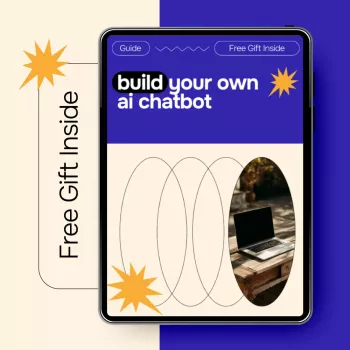
If you want a dedicated resource as you explore the process, our Build Your Own AI Chatbot Guide is available for $12.99. Below, we’ll walk through the practical decisions to make before your first test.
Choose a task with a clear beginning and end. A chatbot might answer common questions about your business, help readers find information in a handbook, or point customers toward the right contact. Starting narrowly makes it easier to decide what a good answer looks like.
Next, describe who will use it and list the questions they’re likely to ask. A customer might ask about opening hours in several ways, while an employee might need help finding a specific internal procedure. Write down the answers you would want each person to receive.
Also decide when the chatbot should hand the conversation to a human. Complaints, account-specific requests, and questions involving sensitive personal information may need personal attention. Give the chatbot a clear way to direct users to the appropriate contact rather than trying to resolve everything itself.
Depending on the tools you choose, you can shape responses with instructions, reference material, or a customized model. These approaches can work together, but they are not interchangeable. Uploading a document or connecting a knowledge source does not necessarily train or fine-tune the underlying model.
For a first version, begin with clear instructions and relevant information. Consider fine-tuning only after you have tested simpler options and identified a repeatable need that customization could address. The OpenAI model optimization guide offers additional context on evaluating and improving model behavior.
| Approach | What it does | Useful starting point |
|---|---|---|
| Instructions | Sets the chatbot’s role and response boundaries | A focused task with clear rules |
| Reference material | Supplies information the chatbot can draw on | Questions answered by approved documents |
| Fine-tuning | Adjusts a model using prepared examples | A repeatable response pattern after simpler options are tested |
For example, a business FAQ bot might receive instructions to answer briefly and use an approved policy document as its source. That setup can be a useful starting point without changing the model itself.
Gather accurate, current material that is appropriate to share. Organize it into clear topics so you can find and update information easily. If two documents give different answers, resolve the conflict before adding them to your chatbot’s knowledge sources.
Create a small set of sample questions and preferred answers. Include the language your audience actually uses, not just formal wording from your documents. These examples can help you write instructions and later evaluate whether responses are useful.
Remove sensitive personal information before uploading or sharing material. Review the privacy and data-handling settings of any tool you use, and avoid entering information you aren’t authorized to share. You can also tell users not to include private account details in a conversation.
Set a boundary for uncertainty: instruct the chatbot to say when it doesn’t know, avoid inventing an answer, and direct the user to a human or another appropriate source. Instructions alone cannot guarantee perfect behavior, so plan to test this boundary as carefully as the answers themselves.
Start with straightforward questions that your reference material clearly answers. Then try unfamiliar wording, incomplete questions, and requests outside the chatbot’s scope. Ask a question with no answer in the source material and see whether the bot acknowledges the gap.
Review each response for accuracy and clarity. Check whether it follows your boundaries, handles sensitive questions appropriately, and gives a useful next step when it cannot help. Record the question, the response, and what you would change; a simple list is enough for an early test.
Revise the instructions or source material when you spot a problem, then repeat your tests. A change that improves one answer may affect another, so keep a small set of earlier questions for comparison. Assign someone to review reference material regularly and update it when policies or other facts change.
For a broader approach to identifying and managing AI risks, you can consult the NIST AI Risk Management Framework.
Our Build Your Own AI Chatbot Guide is an option if you want a dedicated resource on building and training a chatbot. Use it alongside your own task definition, approved information, and testing plan as you work toward a first version. Explore the guide’s product page for current purchase details.
Our team also offers resources on other practical projects, including our car donation checklist if you’re planning a separate donation project.
No. Depending on your tools, instructions and reference material may be enough for a first version. Fine-tuning is a separate option.
Start with accurate, relevant information that is safe to share, along with examples of questions the chatbot should handle. Remove sensitive personal information before uploading or sharing material.
Test it with realistic questions and review its answers for accuracy and clarity. Repeat your tests after updates and check how it handles questions outside its scope.




Leave a comment