-
Shop
- Adidas
- Advanced Technologies
- Bathroom
- Best-Sellers
- Car Accessories
- Dating & Social Skills
- Digital Resources
- AI & Technology
- AI Skills
- Beauty
- Budgeting & Saving
- Car Buying & Ownership
- Cozy Feast Collection
- Electronics & Technology
- Emotional Intelligence
- Entrepreneurship & Business Growth
- Financial Education
- Financial Independence
- Financial Mindset & Psychology
- Goal Setting
- Home Styling & Organization
- Kitchen & Recipes
- Leadership
- Mindfulness
- Mindset
- Motivation
- Online Business
- Parenting & Child Development
- Personal Style & Fashion
- Pet Lifestyle & Wellness
- Positive Thinking
- Productivity
- Self Confidence
- Sleep Improvement
- Smart Life with AI
- Stress Management & Relaxation
- Travel Planning
- Wellness
- Yoga & Fitness
- Yoga & Mind-Body Practices
- Easter Products
- Education & Learning
- Family & Parenting
- Fashion
- Alexander McQueen
- Bags
- Bags & Wallets
- Balenciaga
- Belts
- Blazers
- Bottega Veneta
- Brunello Cucinelli
- Burberry
- Chanel
- Chloé
- Dior
- Dolce & Gabbana
- Dresses
- Etro
- Fendi
- Gucci
- Hats & Hair Accessories
- Jewelry
- Jil Sander
- Keychains
- Kiton
- Luggage
- Miu Miu
- Off-White
- Outerwear
- Prada
- Rick Owens
- Saint Laurent
- Shoes
- Socks & Tights
- The Row
- Tom Ford
- Valentino
- Valentino Garavani
- Versace
- Vivienne Westwood
- Watches
- Furniture
- Gadgets
- Health & Beauty
- Health & Wellness
- Home & Garden
- Home Electronics
- Kids & Babies
- Kitchen
- Lighting
- Patio, Lawn & Garden
- Personal Growth
- Pet Care
- Pet Supplies
- Pets
- Smart Home Living Guides
- Sport & Outdoors
- Stress Relief & Relaxation
- TikTok Growth & Monetization Mastery
- Travel
- Wealth
- Wealth Building
- Popular
- Best deals
Budget TikTok Filming Checklist: Better Videos for Less
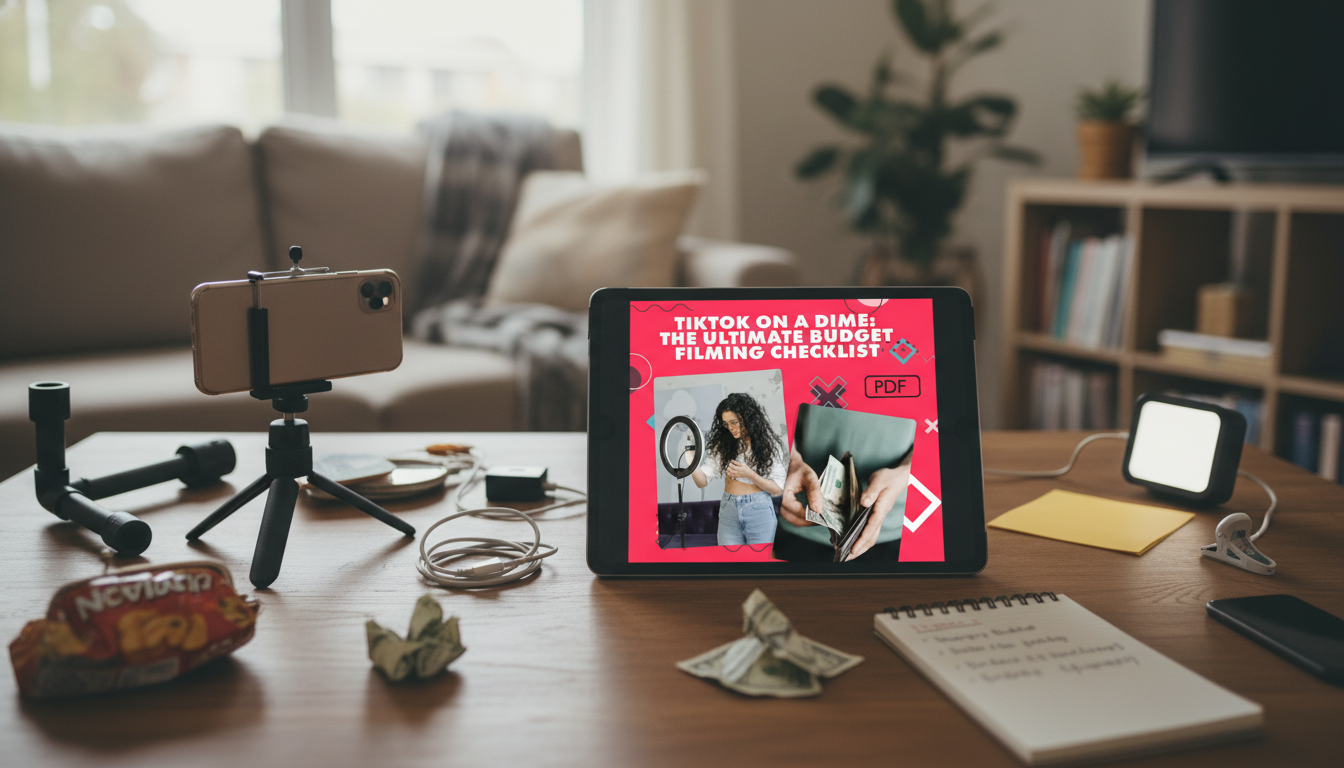
TikTok on a Dime: A Budget Filming Checklist That Makes Every Shoot Easier
Creating scroll-stopping TikToks doesn’t require a studio setup or expensive gear. What helps most is a repeatable filming routine: a simple plan for lighting, sound, framing, props, and post-shoot organization. A budget filming checklist is built for creators who want consistent results while keeping costs low, reducing reshoots, and filming more in less time.
If you’ve ever hit record and thought, “Why does this look different today?” the fix usually isn’t a new phone—it’s a reliable setup you can repeat on autopilot.
What This Digital Checklist Helps Solve
- Cuts down on wasted takes by prompting a quick pre-shoot reset: lens clean, storage space, battery level, and a distraction-free background.
- Prevents “why does this look different today?” problems with repeatable lighting and camera placement notes.
- Makes low-cost gear decisions clearer by focusing on impact first (light and audio) instead of expensive upgrades.
- Improves consistency across a series by tracking hooks, shot list, b-roll, and on-screen text needs before recording.
- Keeps filming days simpler with a printable format: check items off while setting up, filming, and wrapping up.
Budget Filming Priorities: What to Upgrade First
| Priority | What to Use | Typical Cost | Why it matters |
|---|---|---|---|
| Lighting | Window light + white poster board reflector; small LED panel later | $0–$30 | Good light makes phone footage look sharper and reduces grain. |
| Audio | Wired lav mic or budget shotgun; record in a soft, quiet room | $10–$40 | Clear voice keeps viewers watching even when visuals are simple. |
| Stability | Stacked books + phone clamp; basic tripod later | $0–$25 | A steady frame looks more intentional and saves time in edits. |
| Background | Tidy corner + lamp + one consistent prop color palette | $0–$20 | A clean background keeps attention on the message and product. |
| Workflow | Printable checklist + batch filming plan | $0–$5 | Consistency and speed often outperform expensive gear. |
A Simple Low-Cost Setup That Looks Polished
- Pick one “default filming spot” and keep it ready: same wall, same chair height, and a small bin with props and cables to avoid setup fatigue.
- Use the biggest light source available: face a window at a slight angle; if the window is harsh, diffuse with a sheer curtain.
- Create separation from the background by standing/sitting a few feet away; it adds depth even on a phone camera.
- Use a reflector before buying a second light: a white foam board can brighten shadows without extra equipment.
- Stabilize without buying anything: books + a phone clamp can keep framing consistent across multiple takes.
For creative direction and trend examples you can adapt to your niche, browse the TikTok Creative Center. Pair that inspiration with a consistent setup, and your videos stop looking like random one-offs.
Filming on a Budget: The Checklist Flow (Before, During, After)
Before filming
- Choose one goal for the video (teach, entertain, or sell) and write a one-sentence hook to prevent rambling clips.
- Set phone settings and lock the basics (exposure/focus where available); check that the lens is clean and the frame is level.
During filming
- Record 2–3 hook variations back-to-back; a better opening often beats a full reshoot later.
- Capture “proof” shots (close-ups, hands, screen recording, packaging, or results) to create natural b-roll without extra locations.
After filming
- Label clips immediately (topic + hook version) and mark the best take; this saves editing time and avoids accidental deletion.
- Note what worked (lighting position, time of day, audio distance) so the next session starts faster.
If you want a deeper foundation for shooting and editing basics that apply across platforms, the YouTube Creator Academy is a strong free reference—especially for audio clarity and storytelling structure.
Make Phone Video Look Better Without Buying More Gear
If you talk about products, partnerships, or results, keep disclosures clear and easy to spot. The FTC’s endorsement guides outline what’s expected for sponsored content and testimonials.
Batch Filming Plans That Save Time (and Money)
Helpful Digital Picks for Creators (In Stock)
- Motivation Magic: Your Easy-Do Checklist to Spark Drive & Get Stuff Done – Digital Guide on How to Motivate Someone Who Doesn’t Want to Work (great for staying consistent with batch filming days).
- Social Confidence in Any Situation | Printable Checklist for Self-Assurance and Communication Skills (helpful when you’re practicing hooks, voice, and delivery).
- Brunello Cucinelli Women’s Cashmere T-Shirt with Glitter Effect (a polished on-camera staple that reads “intentional” without extra styling work).
What’s Included in the Digital Download
FAQ
What do low-budget TikTok creators need to prioritize first: lighting, audio, or a better phone?
Prioritize lighting and audio before upgrading the phone. Strong light and a clear voice improve perceived quality immediately, and a checklist helps standardize both so your results don’t swing from day to day.
Can this checklist work for batch filming and content series?
Yes. Use it to repeat the same setup, capture multiple hook variations, and record b-roll in one session so your series looks consistent and takes less time to produce.
Is the download printable and usable on a phone or tablet?
It’s a digital download intended to be printed or used digitally. Save it to a device for quick tap-through steps or print it for a shoot-day clipboard.














Leave a comment