-
Shop
- Adidas
- Advanced Technologies
- Bathroom
- Best-Sellers
- Car Accessories
- Dating & Social Skills
- Digital Resources
- AI & Technology
- AI Skills
- Beauty
- Budgeting & Saving
- Car Buying & Ownership
- Cozy Feast Collection
- Electronics & Technology
- Emotional Intelligence
- Entrepreneurship & Business Growth
- Financial Education
- Financial Independence
- Financial Mindset & Psychology
- Goal Setting
- Home Styling & Organization
- Kitchen & Recipes
- Leadership
- Mindfulness
- Mindset
- Motivation
- Online Business
- Parenting & Child Development
- Personal Style & Fashion
- Pet Lifestyle & Wellness
- Positive Thinking
- Productivity
- Self Confidence
- Sleep Improvement
- Smart Life with AI
- Stress Management & Relaxation
- Travel Planning
- Wellness
- Yoga & Fitness
- Yoga & Mind-Body Practices
- Easter Products
- Education & Learning
- Family & Parenting
- Fashion
- Alexander McQueen
- Bags
- Bags & Wallets
- Balenciaga
- Belts
- Blazers
- Bottega Veneta
- Brunello Cucinelli
- Burberry
- Chanel
- Chloé
- Dior
- Dolce & Gabbana
- Dresses
- Etro
- Fendi
- Gucci
- Hats & Hair Accessories
- Jewelry
- Jil Sander
- Keychains
- Kiton
- Luggage
- Miu Miu
- Off-White
- Outerwear
- Prada
- Rick Owens
- Saint Laurent
- Shoes
- Socks & Tights
- The Row
- Tom Ford
- Valentino
- Valentino Garavani
- Versace
- Vivienne Westwood
- Watches
- Furniture
- Gadgets
- Health & Beauty
- Health & Wellness
- Home & Garden
- Home Electronics
- Kids & Babies
- Kitchen
- Lighting
- Patio, Lawn & Garden
- Personal Growth
- Pet Care
- Pet Supplies
- Pets
- Smart Home Living Guides
- Sport & Outdoors
- Stress Relief & Relaxation
- TikTok Growth & Monetization Mastery
- Travel
- Wealth
- Wealth Building
- Popular
- Best deals
Batch Film TikToks: A Simple Workflow to Post Consistently
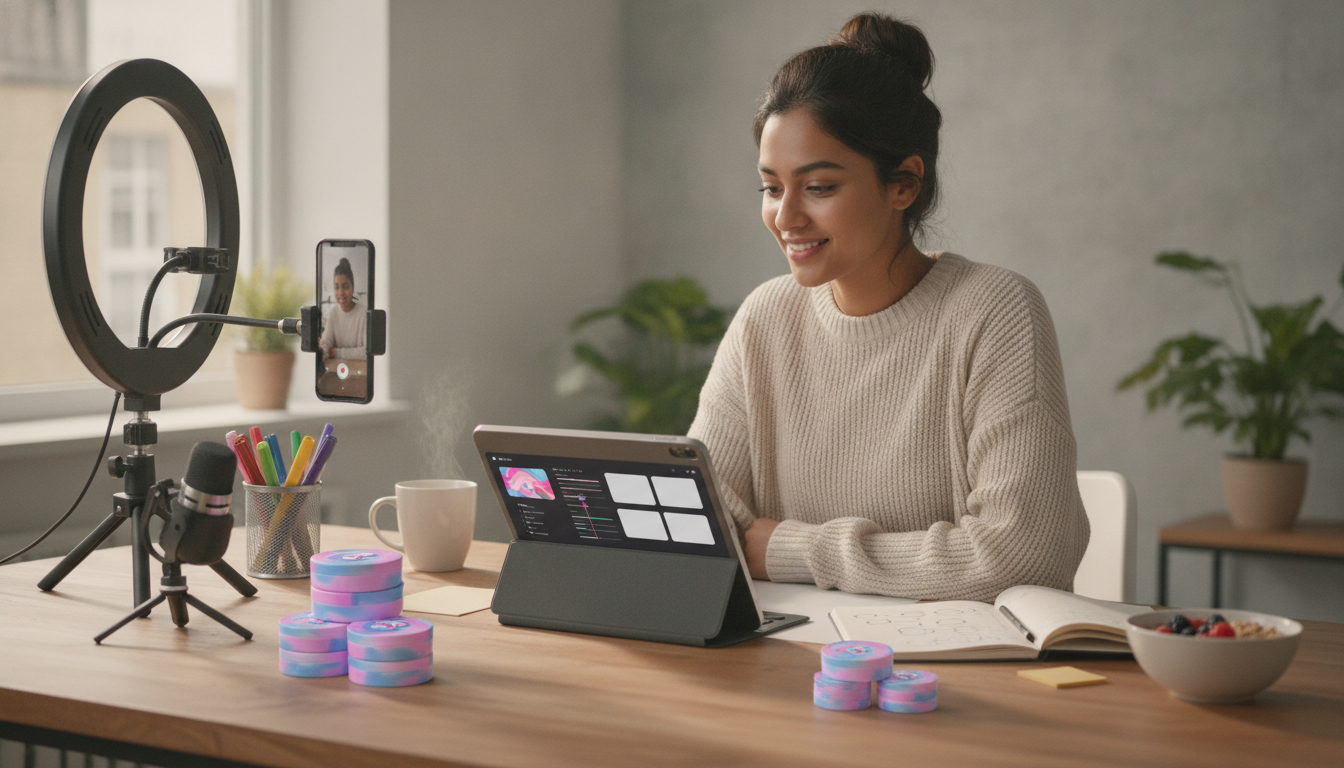
TikTok in Batches: Create More, Stress Less — A Practical Batch-Filming Workflow
Batch filming turns content creation into a repeatable routine: fewer setup days, less decision fatigue, and more consistent posting. Instead of “making a TikTok” from scratch every time, you build a small library in one focused session—then publish from a ready queue while you live your life. Below is a creator-friendly workflow for planning, filming, and packaging multiple TikToks at once without sounding robotic or burning out. For more guidance, see What is the “Benadryl Challenge?”.
Why batch filming reduces stress (and increases consistency)
Batching works because it removes the hidden friction that drains energy: constant resets, constant choices, and constant “starting over.” A single organized session lets you keep momentum while protecting your creative headspace. For further reading, see YouTube & TikTok.
- Cuts repeated setup time: lighting, tripod placement, mic checks, and background resets happen once per session instead of daily.
- Reduces decision fatigue: planning, filming, and editing happen in separate focused blocks.
- Builds posting consistency: a ready-to-publish queue carries you through busy or low-energy days.
- Makes performance tracking easier: themes are organized into clear batches, so patterns stand out.
- Protects creative energy: “idea time” and “camera time” stop competing for attention.
If you want to stay aligned with platform updates while keeping your process simple, it also helps to periodically check official resources like TikTok Newsroom.
Choose a batch format that fits your energy and schedule
Not every batch has to be a marathon. The best format is the one you can repeat without dread.
- Theme batch: record 6–12 videos around one topic (beginner tips, FAQs, myths vs. facts).
- Series batch: film episodes 1–5 in one sitting with consistent hooks and structure.
- Template batch: reuse the same on-screen layout, captions, and B-roll style to speed editing.
- Hybrid batch: alternate talking-head clips with B-roll/tutorial clips to reduce fatigue.
- Start small: aim for 4 videos per batch before scaling to 10+.
For creators who like having a repeatable checklist and prompts ready to go, TikTok in Batches: Create More, Stress Less – Batch Filming for TikTok is a straightforward companion to keep sessions organized and sustainable.
A simple 60-minute planning sprint before you film
Planning is where you earn speed later. Give yourself one hour to decide what you’ll say so filming becomes mostly execution.
- Pick one audience problem and list 10 quick angles (mistakes, quick wins, step-by-step, before/after, tools).
- Draft hooks first: write 10 opening lines designed to win the first 1–2 seconds.
- Decide your call-to-action: comment prompt, follow for next part, save/share cue, or a resource mention.
- Create a short shot list: talking-head segments, B-roll needs, on-screen text, and any props.
- Batch your captions: prep first-line caption options and 3–5 relevant hashtags per theme.
Keep the planning sprint light: you’re building a runway, not writing a novel. If stress is part of what interrupts your consistency, consider pairing your workflow with a dedicated decompression routine between blocks (digital breaks and boundaries can help; see Google Digital Wellbeing for practical ideas).
Batch filming setup: make your space repeatable
A repeatable setup is the secret to filming faster next time. The goal is to create “defaults” so you don’t re-solve the same problems every session.
- Lock the camera position: mark tripod feet with tape so framing stays consistent across takes.
- Standardize audio: keep the same mic distance and test levels once per session.
- Control light: face a window or use a key light; avoid mixing color temperatures.
- Prep wardrobe and props: keep 2–3 outfit variations nearby for “different day” visuals.
- Use a simple checklist: phone storage, battery, Do Not Disturb, lens clean, background clear.
Record faster without sounding scripted
Editing in batches: a lightweight assembly line
Batch workflow options by time and output
| Session type | Time block | Goal | Typical output |
|---|---|---|---|
| Mini batch | 60–90 minutes | Quick consistency boost | 3–5 filmed videos |
| Standard batch | 2–3 hours | One-week content queue | 6–10 filmed videos |
| Deep batch day | 4–6 hours (with breaks) | Two-week content library | 12–20 filmed videos |
| Editing batch | 90–180 minutes | Finalize and schedule | 6–12 edited drafts |
Scheduling and publishing: stay consistent without daily pressure
To support the “stress less” side of the system, some creators also build a short wind-down routine after filming. If that’s helpful, How Essential Oils Can Ease Stress and Anxiety | Relaxation eBook Guide for Natural Stress Relief, Aromatherapy, and Anxiety Support offers practical guidance for calming rituals that fit between content blocks.
Common batch-filming mistakes (and quick fixes)
A ready-made system to follow
If you want a step-by-step structure you can repeat every week, TikTok in Batches: Create More, Stress Less – Batch Filming for TikTok lays out planning prompts, filming checklists, and a sustainable routine. Pair it with a simple rhythm: one planning sprint, one filming block, one editing block, then schedule—and respond to comments daily in small windows so engagement doesn’t take over your day.
FAQ
How many TikToks should be filmed in one batch session?
Start with 3–5 videos per session, then scale to 6–10 once your setup and workflow feel easy. Stop when your delivery quality drops—clean, confident clips outperform sheer volume.
How can batch filming still feel authentic and not repetitive?
Use bullet-point outlines instead of scripts, vary hooks and pacing, and rotate themes across the week. Small visual changes (outfit, angle, or location) plus a couple spontaneous posts keep your feed feeling current.
What is the fastest way to edit batch-filmed TikToks?
Use a template and do one editing task at a time (cuts → captions → sound). Save reusable text styles and B-roll, and set strict time limits per video so you don’t over-polish.
Recommended for you



Soft Cotton vs Cotton Blend: Which Feels Better?
Jul 29, 2026












Leave a comment