-
Shop
- Adidas
- Advanced Technologies
- Bathroom
- Best-Sellers
- Car Accessories
- Dating & Social Skills
- Digital Resources
- AI & Technology
- AI Skills
- Beauty
- Budgeting & Saving
- Car Buying & Ownership
- Cozy Feast Collection
- Electronics & Technology
- Emotional Intelligence
- Entrepreneurship & Business Growth
- Financial Education
- Financial Independence
- Financial Mindset & Psychology
- Goal Setting
- Home Styling & Organization
- Kitchen & Recipes
- Leadership
- Mindfulness
- Mindset
- Motivation
- Online Business
- Parenting & Child Development
- Personal Style & Fashion
- Pet Lifestyle & Wellness
- Positive Thinking
- Productivity
- Self Confidence
- Sleep Improvement
- Smart Life with AI
- Stress Management & Relaxation
- Travel Planning
- Wellness
- Yoga & Fitness
- Yoga & Mind-Body Practices
- Easter Products
- Education & Learning
- Family & Parenting
- Fashion
- Alexander McQueen
- Bags
- Bags & Wallets
- Balenciaga
- Belts
- Blazers
- Bottega Veneta
- Brunello Cucinelli
- Burberry
- Chanel
- Chloé
- Dior
- Dolce & Gabbana
- Dresses
- Etro
- Fendi
- Gucci
- Hats & Hair Accessories
- Jewelry
- Jil Sander
- Keychains
- Kiton
- Luggage
- Miu Miu
- Off-White
- Outerwear
- Prada
- Rick Owens
- Saint Laurent
- Shoes
- Socks & Tights
- The Row
- Tom Ford
- Valentino
- Valentino Garavani
- Versace
- Vivienne Westwood
- Watches
- Furniture
- Gadgets
- Health & Beauty
- Health & Wellness
- Home & Garden
- Home Electronics
- Kids & Babies
- Kitchen
- Lighting
- Patio, Lawn & Garden
- Personal Growth
- Pet Care
- Pet Supplies
- Pets
- Smart Home Living Guides
- Sport & Outdoors
- Stress Relief & Relaxation
- TikTok Growth & Monetization Mastery
- Travel
- Wealth
- Wealth Building
- Popular
- Best deals
Dual-Connection Wireless Gaming Headset: 120H Battery + NC Mic
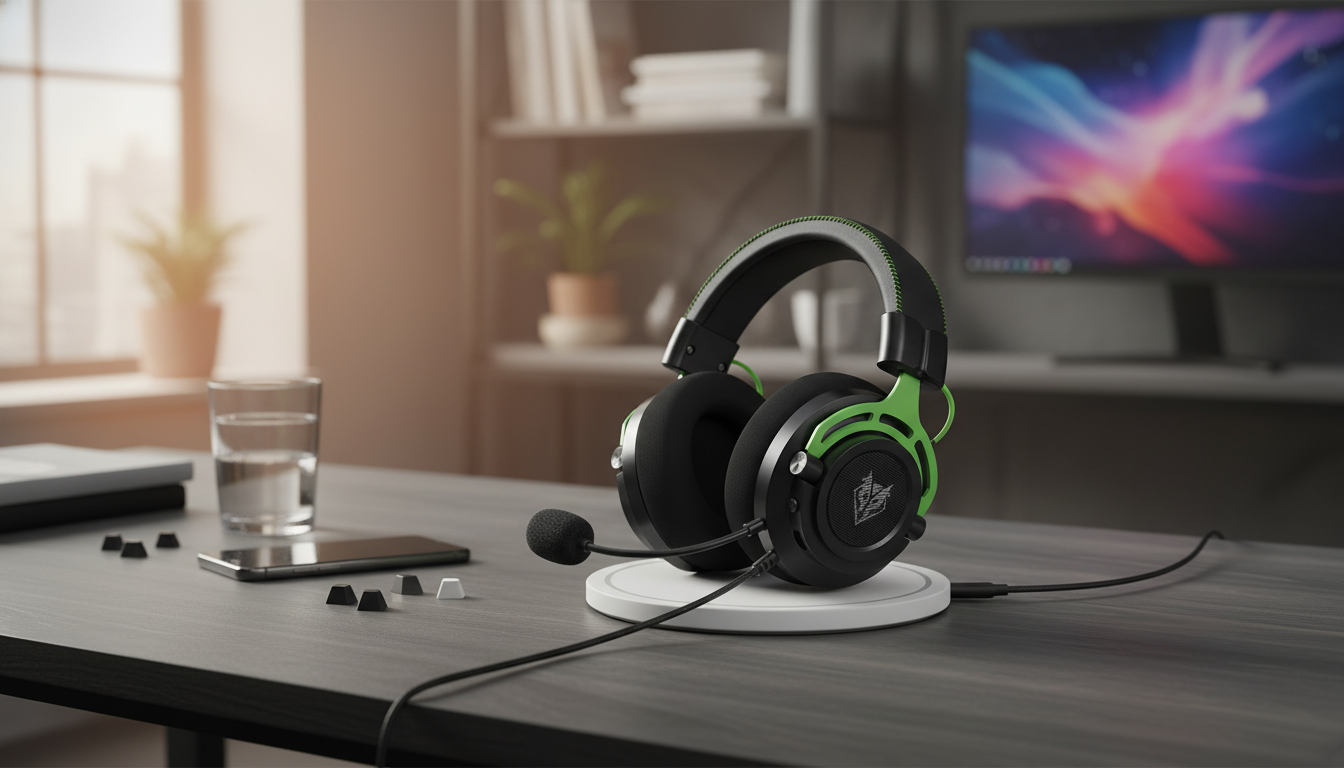
Wireless Freedom for Players Who Bounce Between Devices
A dual-connection gaming headset can simplify everything from console sessions to PC voice chat and mobile calls—without juggling cables or switching devices mid-match. With long battery life, a noise-canceling microphone, and flexible connectivity, this style of headset is built for players who move between platforms, chat apps, and daily use while still needing clear comms and reliable audio. For more guidance, see Review: Logitech G533 Wireless Gaming Headset – WSGF.
If you want a straightforward option that’s built around that “one headset, many devices” lifestyle, see the Wireless Gaming Headset with Dual Connection, Noise Canceling Mic & 120H Battery. For further reading, see V-Moda Crossfade Wireless – LanOC Reviews.
Who This Headset Fits Best
- Multi-platform players who swap between PC, console, and phone throughout the week
- Competitive teams that rely on consistent voice clarity for callouts and coordination
- Travelers or students who want one headset for gaming, streaming, and calls
- Long-session users who prefer fewer charging cycles and less downtime
Dual Connection Explained: Two Ways to Stay Connected
“Dual connection” usually refers to having two wireless paths available—commonly a low-latency USB wireless mode (often 2.4 GHz via a dongle) plus Bluetooth for phones and tablets. The exact behavior varies by model: some headsets let you quickly toggle between sources, while others can keep a secondary connection ready for fast switching.
A popular everyday setup is keeping the primary connection on a PC or console for game audio, while Bluetooth stays paired to your phone for calls or notifications. That means you can take a quick call without re-pairing, then jump right back into the match.
Compatibility matters. Some consoles don’t support Bluetooth headset audio in a useful way, so a USB dongle can be the difference between “it works” and “it doesn’t.” If you’re unsure, confirm what your platform supports before buying. For background on how Bluetooth standards work, the Bluetooth Core Specification is the authoritative reference.
Connection Modes and When to Use Them
| Mode | Best for | Typical strengths | Things to verify |
|---|---|---|---|
| USB wireless (2.4 GHz via dongle) | PC/console gaming | Lower latency, stable link, consistent mic performance | Console support, available USB port, range in your room |
| Bluetooth | Mobile, laptop, casual audio | Easy pairing, broad device support, great for calls and travel | Codec support, potential latency in fast games, multipoint behavior |
| Wired (if supported) | Backup / no-battery situations | No battery dependency, universal fallback | Cable type (3.5mm/USB), mic behavior in wired mode |
Noise-Canceling Mic: What It Improves (and What It Doesn’t)
Noise reduction on a headset mic is typically designed to reduce steady background sounds—fans, HVAC hum, or consistent keyboard clatter—so teammates hear your voice more clearly. The best improvement is usually in clarity and consistency: fewer “what did you say?” moments and less need to repeat callouts.
Placement still matters. Aim the mic near the corner of your mouth (not directly in front) to reduce breathing noise and plosives while keeping the voice strong. If your chat app has input sensitivity controls, lowering sensitivity can stop the mic from opening on every desk tap.
What noise canceling can’t fully solve is a highly reflective room. If your space has hard walls and lots of echo, your voice may still sound roomy even when background noise is reduced. In that case, a small change—closing a door, adding a rug, or moving away from a bare wall—can do more than any software filter.
120H Battery: Practical Benefits for Real Schedules
A long-rated battery (like 120 hours) is less about bragging rights and more about not having your headset die mid-week. It’s especially useful if you split time between gaming at night, calls during the day, and travel on weekends.
Real-world battery life varies with volume, microphone use, sidetone/mic monitoring, and extras like lighting. Higher volumes and always-on features usually drain faster, while moderate listening levels can stretch runtimes dramatically.
Sound and Comfort for Long Sessions
When comparing headsets, it can help to understand how reviewers measure audio and comfort. RTINGS publishes a transparent overview of their process in their headphones test methodology.
Setup Tips for PC, Console, and Mobile
PC
Console
Mobile
In-Game and Chat App Tweaks
If teammates hear breathing, tapping, or room noise, lower mic sensitivity or enable push-to-talk where available. For Discord-specific troubleshooting steps, the official Voice and Video Troubleshooting guide can help narrow down input and device selection issues.
Product Snapshot
Check current price and availability.
More In-Stock Picks
- Brunello Cucinelli Women’s Cashmere T-Shirt with Glitter Effect
- Motivation Magic: Your Easy-Do Checklist to Spark Drive & Get Stuff Done – Digital Guide
- Social Confidence in Any Situation | Printable Checklist for Self-Assurance and Communication Skills
FAQ
Can dual connection play game audio and phone audio at the same time?
It depends on the specific headset model: some support simultaneous mixing, while others only allow fast switching and prioritize one source at a time. If you want audio from both devices together, confirm that simultaneous playback (or mixing) is explicitly supported.
Is a noise-canceling microphone good enough for a loud room?
It can reduce steady background noise, but it won’t remove everything in a loud or echoey space. Mic placement and sensitivity settings still matter, and push-to-talk is a reliable fallback when the room is consistently noisy.
How long does a 120-hour battery last in real use?
Battery life varies with volume, connection mode, and features like mic monitoring or lighting. With moderate volume and typical chat use, it can last multiple days between charges, but it’s smart to top up before a long session.
Recommended for you



Yoga Relaxation Checklist: 10–40 Min Calm Flow
May 26, 2026













Leave a comment