-
Shop
- Adidas
- Advanced Technologies
- Bathroom
- Best-Sellers
- Car Accessories
- Dating & Social Skills
- Digital Resources
- AI & Technology
- AI Skills
- Beauty
- Budgeting & Saving
- Car Buying & Ownership
- Cozy Feast Collection
- Electronics & Technology
- Emotional Intelligence
- Entrepreneurship & Business Growth
- Financial Education
- Financial Independence
- Financial Mindset & Psychology
- Goal Setting
- Home Styling & Organization
- Kitchen & Recipes
- Leadership
- Mindfulness
- Mindset
- Motivation
- Online Business
- Parenting & Child Development
- Personal Style & Fashion
- Pet Lifestyle & Wellness
- Positive Thinking
- Productivity
- Self Confidence
- Sleep Improvement
- Smart Life with AI
- Stress Management & Relaxation
- Travel Planning
- Wellness
- Yoga & Fitness
- Yoga & Mind-Body Practices
- Easter Products
- Education & Learning
- Family & Parenting
- Fashion
- Alexander McQueen
- Bags
- Bags & Wallets
- Balenciaga
- Belts
- Blazers
- Bottega Veneta
- Brunello Cucinelli
- Burberry
- Chanel
- Chloé
- Dior
- Dolce & Gabbana
- Dresses
- Etro
- Fendi
- Gucci
- Hats & Hair Accessories
- Jewelry
- Jil Sander
- Keychains
- Kiton
- Luggage
- Miu Miu
- Off-White
- Outerwear
- Prada
- Rick Owens
- Saint Laurent
- Shoes
- Socks & Tights
- The Row
- Tom Ford
- Valentino
- Valentino Garavani
- Versace
- Vivienne Westwood
- Watches
- Furniture
- Gadgets
- Health & Beauty
- Health & Wellness
- Home & Garden
- Home Electronics
- Kids & Babies
- Kitchen
- Lighting
- Patio, Lawn & Garden
- Personal Growth
- Pet Care
- Pet Supplies
- Pets
- Smart Home Living Guides
- Sport & Outdoors
- Stress Relief & Relaxation
- TikTok Growth & Monetization Mastery
- Travel
- Wealth
- Wealth Building
- Popular
- Best deals
Portable 4K LED Projector Setup: WiFi & Bluetooth Tips
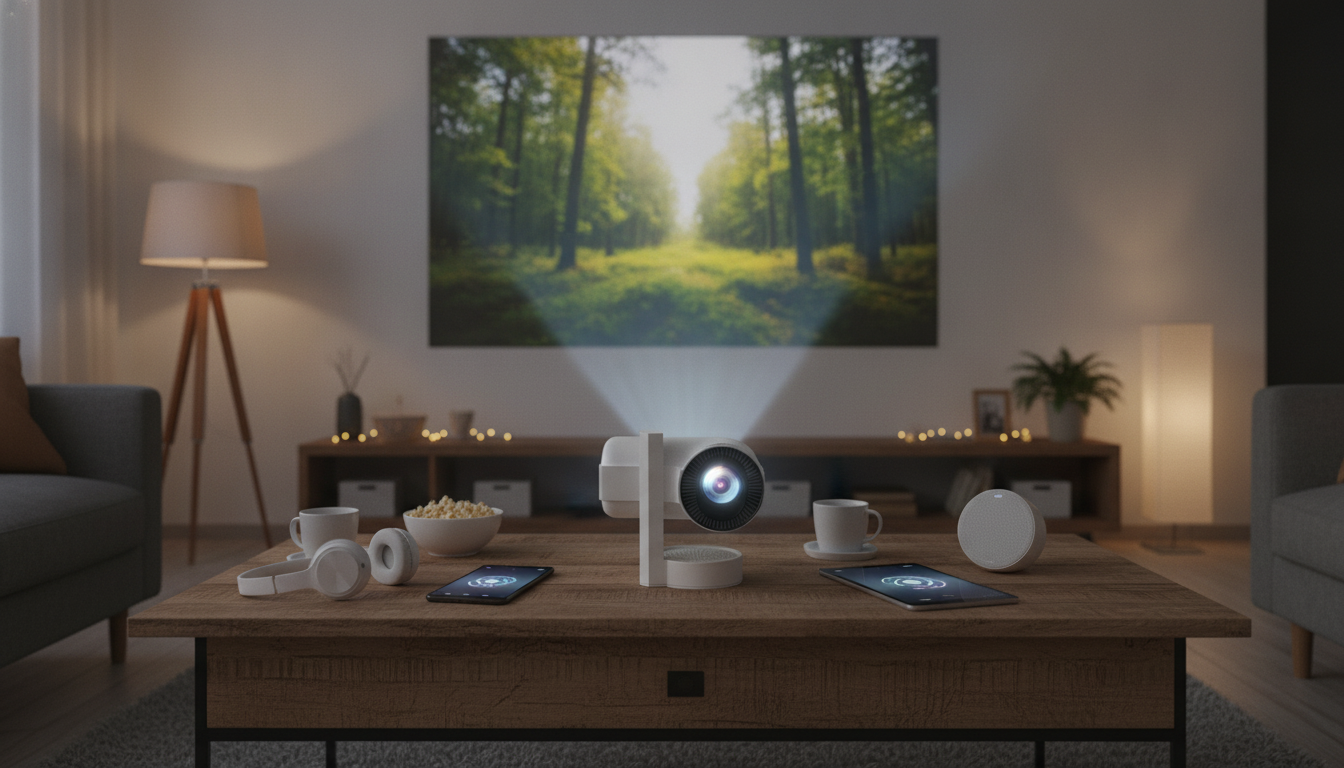
Portable 4K LED Projector Basics: Big-Screen Fun Without the Big TV
A compact projector can turn a living room wall, bedroom ceiling, or backyard screen into a big-screen setup with minimal gear. A portable 4K-capable LED home theater projector with WiFi and Bluetooth is built for flexible, room-to-room viewing—especially when you want a clean setup without running cables across the floor. Below is what this style of projector is designed to do, how to get it running quickly, and the small adjustments that make a noticeable difference in picture and sound.
What this projector is designed to do
- Create a large-screen viewing experience without a TV-sized footprint
- Support flexible placement for small apartments, dorms, and travel setups
- Reduce cable clutter by using wireless connectivity for streaming and audio
- Work for movies, casual gaming, sports, and presentations in darker rooms
Portability is the real advantage: instead of committing to a single room layout, you can set up wherever it makes sense—movie night in the bedroom, a game on the living room wall, or a late-summer backyard showing after sunset.
Key features that matter for everyday use
- 4K support: Suitable for high-resolution sources; image quality depends on the projector’s native panel resolution and scaling.
- LED light source: Typically aims for long life and consistent brightness compared with traditional lamps.
- WiFi: Enables wireless casting/streaming workflows when supported by the connected device or apps.
- Bluetooth: Useful for pairing speakers or headphones when built-in audio isn’t enough.
- Portable form factor: Easier to store, move room-to-room, or pack for trips.
If you plan to plug in a streaming stick or console, the stability and simplicity of an HDMI connection still matter. For standards background, the official HDMI specification overview is available from the HDMI Licensing Administrator.
Quick-start setup for a clean, reliable home theater
- Placement: Start centered to the screen/wall to minimize keystone distortion; keep ventilation clear on all sides.
- Power: Use a stable outlet or surge protector for consistent performance.
- Focus and alignment: Adjust focus first, then correct tilt/keystone only as needed to preserve sharpness.
- Source selection: Choose HDMI for the most stable connection; use wireless casting when cables are inconvenient.
- Audio: Decide between built-in speaker, Bluetooth speaker, or wired sound system depending on the room size.
A practical workflow is: set the projector at roughly the right distance, square it up physically, focus the image, and only then apply small keystone tweaks. Heavy digital correction can make text and fine detail look softer.
Connection options: what to use and when
The best connection depends on how long you’ll be watching and how sensitive you are to lag.
| Scenario | Recommended connection | Why it works |
|---|---|---|
| Movie night with a streaming stick | HDMI to streaming stick + Bluetooth to speaker (optional) | Stable video playback; easy audio upgrade |
| Laptop presentation | HDMI from laptop | Fast, low-lag, no network dependency |
| Phone photo/video sharing | WiFi casting (or HDMI adapter) | Convenient for quick content sharing |
| Late-night viewing | Bluetooth headphones (or wired audio if available) | Private listening without waking others |
- HDMI: Best for streaming sticks, game consoles, laptops, and reliable long sessions.
- WiFi casting: Convenient for quick sharing and short sessions; performance depends on network stability and device compatibility. General Wi‑Fi standards and certification info is maintained by the Wi‑Fi Alliance.
- Bluetooth audio: An easy upgrade path for louder sound and better bass; check for noticeable audio delay and use device settings to reduce latency when available. Bluetooth technology basics are explained by the Bluetooth SIG.
- Headphones: Great for quiet households and shared walls; confirm the projector supports pairing with your preferred headset.
Picture tips for sharper, more cinematic results
- Control ambient light: Dim lamps and close curtains to improve contrast and color depth.
- Choose a better surface: A matte white wall works; a dedicated screen can improve uniformity and perceived contrast.
- Keep keystone minimal: Heavy digital correction can soften detail; physical alignment usually looks cleaner.
- Start with a neutral picture mode: Then fine-tune brightness/contrast so highlights aren’t blown out and shadows keep detail.
- Right-size the image: Extremely large projections can look dimmer; scale to match room darkness and seating distance.
Sound tips when using Bluetooth
Where a portable projector fits best (and where it doesn’t)
Care, maintenance, and long-term reliability
Product spotlight
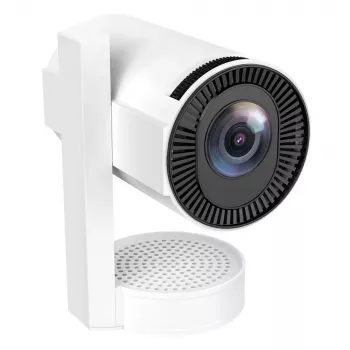
Portable 4K LED Home Theater Projector with WiFi and Bluetooth is built for flexible viewing with wireless convenience and easy room-to-room setup. It’s a strong fit for casual home theater nights, travel-friendly big-screen viewing, and compact spaces where a large TV is impractical.
If your ideal movie night includes a calmer wind-down afterward, pair the vibe with something relaxing like How Essential Oils Can Ease Stress and Anxiety | Relaxation eBook Guide for Natural Stress Relief, Aromatherapy, and Anxiety Support.
FAQ
Can a phone connect to the projector without cables?
Yes—many phones can share video or photos using WiFi casting when the projector and phone support compatible casting methods. Stability depends on the phone, the app, and your network; if it’s choppy, an HDMI adapter is the most reliable fallback.
Will Bluetooth speakers cause audio delay?
They can, depending on the speaker and the Bluetooth codec in use. If you notice lip-sync issues, keep devices closer, try a different speaker, or use a wired/HDMI audio path when timing is critical.
Does “4K” always mean the projector is natively 4K?
No—“4K” can mean the projector accepts a 4K input signal even if the native panel resolution is lower and the image is scaled. Perceived sharpness also depends on focus, physical alignment, and the quality of the content you’re playing.
Recommended for you
Video Quality Myths: Why 4K Isn’t the Real Upgrade
Jul 27, 2026











Leave a comment