-
Shop
- Adidas
- Advanced Technologies
- Bathroom
- Best-Sellers
- Car Accessories
- Dating & Social Skills
- Digital Resources
- AI & Technology
- AI Skills
- Beauty
- Budgeting & Saving
- Car Buying & Ownership
- Cozy Feast Collection
- Electronics & Technology
- Emotional Intelligence
- Entrepreneurship & Business Growth
- Financial Education
- Financial Independence
- Financial Mindset & Psychology
- Goal Setting
- Home Styling & Organization
- Kitchen & Recipes
- Leadership
- Mindfulness
- Mindset
- Motivation
- Online Business
- Parenting & Child Development
- Personal Style & Fashion
- Pet Lifestyle & Wellness
- Positive Thinking
- Productivity
- Self Confidence
- Sleep Improvement
- Smart Life with AI
- Stress Management & Relaxation
- Travel Planning
- Wellness
- Yoga & Fitness
- Yoga & Mind-Body Practices
- Easter Products
- Education & Learning
- Family & Parenting
- Fashion
- Alexander McQueen
- Bags
- Bags & Wallets
- Balenciaga
- Belts
- Blazers
- Bottega Veneta
- Brunello Cucinelli
- Burberry
- Chanel
- Chloé
- Dior
- Dolce & Gabbana
- Dresses
- Etro
- Fendi
- Gucci
- Hats & Hair Accessories
- Jewelry
- Jil Sander
- Keychains
- Kiton
- Luggage
- Miu Miu
- Off-White
- Outerwear
- Prada
- Rick Owens
- Saint Laurent
- Shoes
- Socks & Tights
- The Row
- Tom Ford
- Valentino
- Valentino Garavani
- Versace
- Vivienne Westwood
- Watches
- Furniture
- Gadgets
- Health & Beauty
- Health & Wellness
- Home & Garden
- Home Electronics
- Kids & Babies
- Kitchen
- Lighting
- Patio, Lawn & Garden
- Personal Growth
- Pet Care
- Pet Supplies
- Pets
- Smart Home Living Guides
- Sport & Outdoors
- Stress Relief & Relaxation
- TikTok Growth & Monetization Mastery
- Travel
- Wealth
- Wealth Building
- Popular
- Best deals
Gaming Laptop Buying Guide: GPU, Display, Cooling & AI
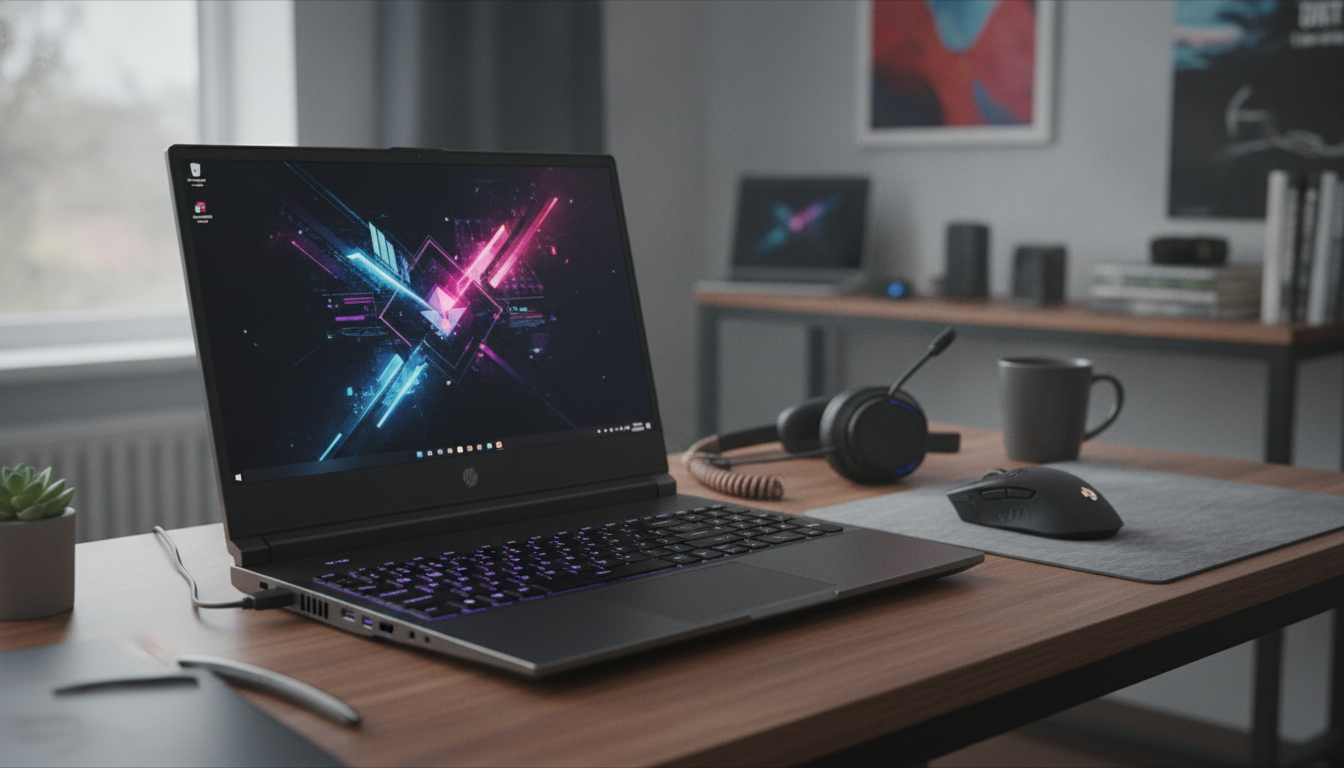
A great gaming laptop balances graphics power, smooth visuals, effective cooling, and the right feature set for the games and creative tasks it will handle. Use this guide to compare specs that matter, spot marketing distractions, and pick a configuration that stays fast and reliable for years—especially as AI-assisted features become standard in modern laptops. For more guidance, see News – tagged “kmspl” – kmspl.
Start With Your Games and Your Target Frame Rate
Shopping gets easier when you start with what you play and how smooth you want it to feel. Competitive esports players usually benefit most from 1080p at 144Hz (or higher), while many all-around gamers prefer 1440p for a sharper image on 16-inch panels. 4K gaming on a laptop is typically reserved for premium single-player visuals—and often makes more sense on an external monitor. For further reading, see Micro Mart – May 26, 2016 UK.
Match the game style to the hardware demand. Esports titles tend to favor high refresh rates and stable CPU performance, while open-world games and ray-traced AAA releases ask much more from the GPU and VRAM. Also, don’t chase peak FPS at the expense of consistency—stable frame times often feel better than occasional spikes.
Finally, decide how you’ll use the laptop day to day. Thin designs can be impressively fast, but tighter thermal limits mean they may not sustain top performance as long as thicker models with bigger cooling systems.
GPU First: The Biggest Driver of Gaming Performance
For most buyers, the GPU is the priority spec. It determines how high you can push settings, how well you can handle higher resolutions, and how much headroom you have for future titles. When your budget allows, aim for a higher-tier GPU and enough VRAM for the types of games you play.
One critical detail: laptop GPUs with the same name can perform very differently. Manufacturers set different power limits (often listed as TGP or TDP), and a lower-power version can be noticeably slower than a higher-power configuration. If you’re comparing two laptops with the same GPU label, check reviews for sustained performance, not just short benchmarks.
Also look for modern upscaling and frame-generation features to extend the useful life of a laptop at higher settings. For background on these technologies, see NVIDIA DLSS and AMD FidelityFX Super Resolution (FSR).
Quick GPU Fit Guide (Practical Pairings)
| Target Use | GPU Guidance | What to Verify |
|---|---|---|
| 1080p competitive gaming | Midrange laptop GPU with strong sustained clocks | High refresh display; adequate cooling; power limit not overly restricted |
| 1080p/1440p mixed gaming | Upper-midrange GPU for higher settings | VRAM amount; TGP; fan noise under load |
| 1440p high settings / light ray tracing | Higher-tier GPU recommended | VRAM headroom; advanced upscaling support; thermal design |
| Creator + gamer workflow | GPU with strong compute features | Codec support (AV1/HEVC); external display outputs; driver stability |
CPU, RAM, and Storage: Avoid Bottlenecks
Once the GPU is set, choose a CPU that matches your play style. High-FPS esports and certain simulation games benefit from strong single-core performance, while streaming, compiling, and video editing benefit from more cores. Many gaming laptops are “good enough” on CPU, but pairing a top CPU with a weak GPU rarely delivers the best in-game results.
Display Choices That Actually Change the Experience
Cooling, Power, and Noise: Where Many Laptops Separate
AI Features Worth Caring About (and What’s Mostly Hype)
Ports, Wi‑Fi, Keyboard, and Build: The Daily-Use Deciders
Don’t let “core specs” distract you from daily-use realities. Make sure you have enough USB-A ports for a mouse, headset, controller, or capture device; and USB-C options if you plan to dock or run a display. Networking matters for competitive play—Ethernet is still ideal where possible, and modern wireless standards can help stability on crowded networks. For more detail on next-gen wireless capabilities, see Intel’s Wi‑Fi 7 overview.
Smart Buying Checklist and Common Mistakes
Fast Decision Table (Pick Your Priority)
| Top Priority | Optimize For | Trade-Offs to Expect |
|---|---|---|
| Maximum FPS | Higher-tier GPU + strong cooling + 144Hz+ panel | More weight, more fan noise, higher price |
| Portability | Efficient CPU/GPU, 14–16 inch chassis, solid battery | Lower sustained performance under long loads |
| Visual quality | 1440p/4K-capable GPU, high-quality panel | Higher cost; may rely on upscaling for demanding games |
| Streaming + gaming | Extra CPU cores, 32GB RAM, strong encoding support | Budget may shift away from the absolute top GPU tier |
Recommended Read: A Full Buyer’s Guide With Configuration Tips
For a step-by-step walkthrough of picking a gaming laptop based on performance targets, AI-assisted features, and long-term value, use this detailed guide: How to Choose the Perfect Laptop for Gaming | Ultimate Gaming Laptop Buyer’s Guide for Performance, AI Features & Smart Buying Decisions.
If upgrading your tech also means clearing out an unused vehicle, this checklist can help organize the process: Turn an Old Car Into a Smart Tax Move: A Complete Checklist for Donating Your Car to Charity for a Tax Write-Off.
FAQ
Is 16GB of RAM enough for gaming laptops today?
Yes for most games and everyday multitasking, especially if you keep background apps under control. For heavy multitasking, mods, big open-world games, or streaming while gaming, 32GB tends to feel smoother and more future-proof.
What matters more for gaming: CPU or GPU?
In most gaming scenarios, the GPU has the biggest impact on frame rate and visual settings. CPU matters more for very high-FPS esports play, simulation-heavy games, and multitasking workloads like streaming or content creation.
Do AI features make a real difference in gaming performance?
They can when they’re tied to graphics features like upscaling or frame generation, which can raise FPS and help maintain higher settings. Other AI features—like noise suppression and camera effects—mainly improve streaming and calls rather than raw in-game performance.















Leave a comment